

How to Use a Burner Phone Number for Dating: The Complete Privacy Guide
Daniel Zvi
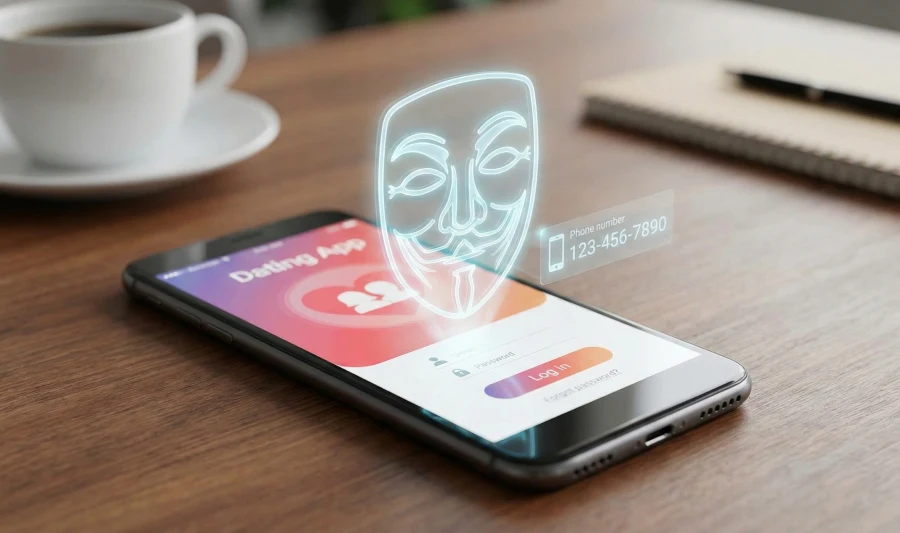
A "Burner Phone Number" for dating is a secondary, virtual telephone number (VoIP) used specifically for dating apps to mask your primary personal contact information. The main benefit is that it prevents strangers from using your real phone number to reverse-search your home address or social media profiles, protecting you from doxing and harassment.
What is a "Burner Number" and why does it matter?
In the context of modern dating, a burner number isn't about illicit activity; it is a fundamental layer of personal cybersecurity. When you sign up for the Best Dating Sites of 2025, or when you decide to move a conversation off the app to texting, handing out your primary cell phone number is a significant risk.
Your primary phone number is arguably your most robust digital identifier. It is often linked to:
- Two-Factor Authentication (2FA) for your bank accounts.
- Your physical home address via public data aggregators.
- Your full employment history on platforms like LinkedIn.
By using a virtual number, you can text and call exactly like normal, but the person on the other end cannot use that number to "reverse search" your real life.
The Hidden Costs of Ignoring Privacy
Ignoring this step can lead to "Doxing." If a date goes wrong and the individual has your real number, they can easily find your workplace to file false complaints. Furthermore, once your real number is sold to spam lists by lower-tier dating apps, you cannot easily change it. A burner number, by contrast, can be deleted in seconds.
Pro Tip: Your phone number is just one entry point. For a complete audit of your digital footprint, read our guide on How to Write a Dating Profile When You Value Privacy.
How do I set up a free Google Voice number? (Step-by-Step)
Google Voice is the gold standard for a free, reliable burner number. It connects to your Google account and forwards calls to your actual phone, but the caller never sees your real number.
- Create a Dedicated "Dating" Google Account Do not use your primary firstname.lastname@gmail.com account. Create a new, generic Gmail account (e.g., dating.user.secure@gmail.com). This ensures that even if someone traces the Google Voice number back to an email, it is a dead end.
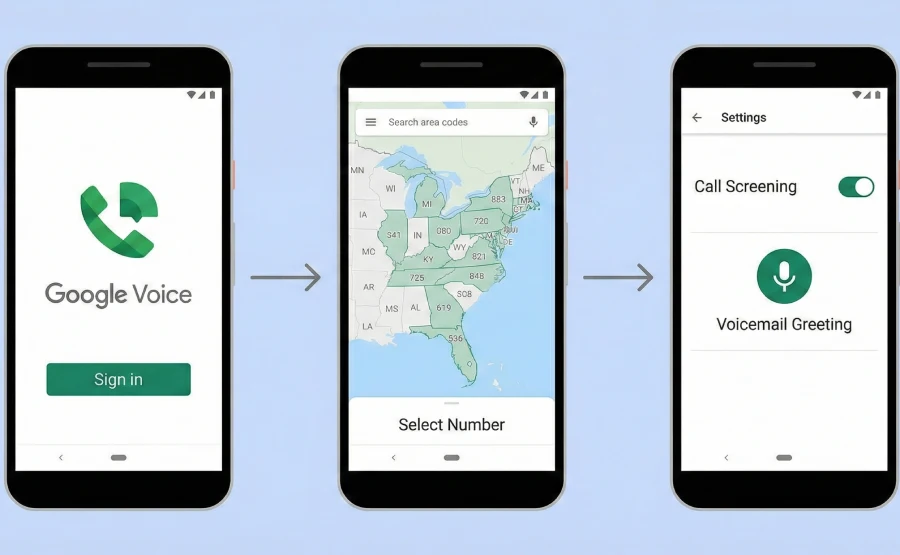
- Claim Your Number
- Go to voice.google.com or download the Google Voice app.
- Sign in with your new generic account.
- Search for available numbers by area code. Tip: Choose an area code that matches your city so it looks like a local number, which reduces suspicion from matches.
- Configure "Do Not Disturb" and Forwarding
- Go to Settings. Link your real mobile number as the forwarding number.
- Crucial Step: Go to "Voicemail" settings. Record a generic greeting. Do not use the default system greeting if it reads out your email address or name.
- Test the line by having a friend call the new number. Ensure it rings your phone but shows the Google Voice interface.
What tools do I need?
While Google Voice is excellent, it isn't available in every country. To fully secure your dating life, you need a "Privacy Tech Stack."
Here are the specific tools you should consider:
- Google Voice: Best for free, long-term use in the US.
- Burner App: A premium mobile app (iOS/Android) that allows you to create temporary numbers that self-destruct after a set time.
- Hushed: Similar to Burner but offers encrypted messaging and international numbers.
- Telegram / Signal: If you don't want a second phone number, move chats to these encrypted data-based messaging apps. They allow you to hide your phone number (unlike WhatsApp, which reveals it).
What are the advanced mistakes to avoid?
Even with a burner number, "User Error" can expose your identity. To maintain true authority on safety, you must avoid these specific pitfalls:
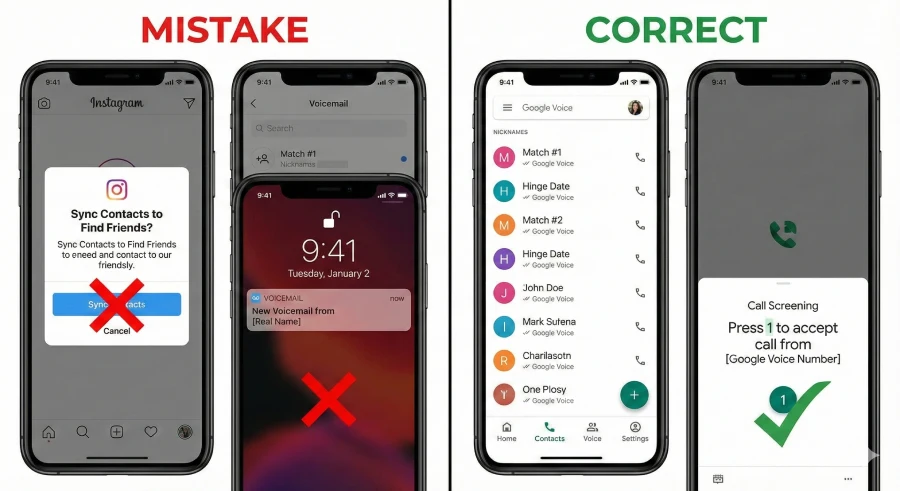
- Syncing Contacts to Social Media Apps like Instagram and Facebook often ask to "Find Friends via Contacts." If you save your date's number in your phone's main contact list, social media algorithms may suggest your private profile to them.
- Fix: Save dating contacts only within the Google Voice app, or use a nickname in your main contacts.
- The "Voicemail Leak" If your Google Voice forwards to your main phone and you don't answer, sometimes your carrier's voicemail (Verizon/T-Mobile) will pick up instead. If your carrier voicemail says, "Hi, you've reached [Your Real Full Name]," you have blown your cover.
- Fix: Enable "Call Screening" in Google Voice settings. This forces you to press '1' to accept a call, ensuring your carrier voicemail can never accidentally answer.
Can software automate your safety checks?
While using a burner number protects your data, it doesn't tell you anything about who you are talking to. Manual vetting is slow and often inaccurate.
The most effective way to stay safe is to stop using "Wild West" swiping apps that allow anyone to join anonymously. Instead, switch to platforms that require mandatory identity verification.
Premium platforms like eHarmony (Read our Review) specialize in handling this for you.
Unlike casual apps where anyone with a burner phone can create a profile, sites like eHarmony or Match.com use compatibility matching and stricter entry requirements. This naturally filters out scammers and "catfish" before they even reach your inbox.
If you are tired of playing detective with every match, the solution isn't better spy tools—it's a better dating pool.
 Our top picks for April 2026

 Designed for ages 25 to 50+
How to transition off the Burner Number
You don't need to keep up the ruse forever. Once trust is established, moving to your real number is a sign of intimacy.
- Wait for the First Date Never give your real number before meeting in a public place. Gauging their physical "vibe" is the best way to detect red flags that text and video cannot show.
- The "Soft Reveal" When you are ready, say: "Hey, I usually use my work/secondary line for the apps just to keep things organized, but I like where this is going. Here is my personal cell number." This frames it as "organization" rather than "suspicion," which saves face and keeps the romance alive.
Frequently Asked Questions (Safety Edition)
Q: Can police track a burner phone number?
A: Yes. "Burner" numbers from apps like Google Voice or Hushed are not anonymous to law enforcement. They are traceable to the IP address and email used to create them. They only protect you from other civilians, not the authorities.
Q: Will the other person know I am using a burner number?
A: Generally, no. To them, it looks like a standard text message. However, if they try to use iMessage (blue bubbles) and your burner number shows up as green (SMS), they might suspect you are using an Android or a secondary line.
Q: Is it rude to use a fake number for dating?
A: No, it is a standard safety precaution in 2025. Most high-value, safety-conscious daters understand the need for privacy. If a match gets angry about you protecting your privacy, that is a controlling behavior and a red flag.
Q: Can I use WhatsApp with a fake number?
A: Yes. You can register a WhatsApp account using your Google Voice or Burner app number. This is a great way to use a secure messaging interface without revealing your real SIM card number.
Q: What if I get harassed on my burner number?
A: This is exactly why you have one. You can simply "Burn" it. In Google Voice, you can block the specific caller or change your number entirely for a small fee (or free by creating a new account), leaving the harasser with no way to reach you.
Liked this article?
Daniel Zvi
Smart Recommendations


Thank you!